You have a box of old photos sitting in a drawer somewhere. Maybe it’s your grandmother’s wedding portrait, your dad’s army days, your own childhood tucked inside a crinkled envelope. They’re precious — and they’re just sitting there, doing nothing.
What if those photos could move? What if they could tell a story, set to music, with the kind of cinematic quality you’d see in a documentary about someone you love?
That’s exactly what AI photo animation makes possible today — and in this guide, I’ll walk you through exactly how the process works, what makes it different from a regular slideshow, and how you can turn your photos into something truly unforgettable.
What Does “Turning Photos Into a Video with AI” Actually Mean?
There’s a big difference between a photo slideshow and an AI-animated video.
A slideshow is a sequence of still images with transitions — a fade here, a zoom there. It gets the job done, but it doesn’t feel like anything. It doesn’t breathe.
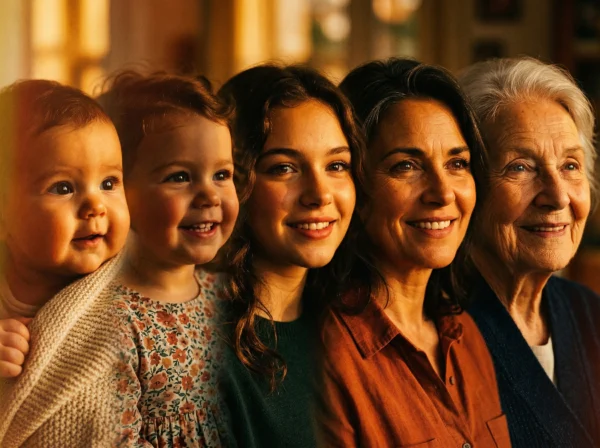
An AI cinematic video is something else entirely. Using advanced AI motion technology, each photo is analyzed and given subtle, natural movement — eyes that seem to soften, hair that gently sways, light that shifts across a face. The result looks and feels like real footage, even when the original photo was taken decades ago on a disposable camera.
When this is done by a skilled editor — not just an app — the photos are first restored, enhanced, and prepared before any AI animation is applied. The difference in quality is visible immediately.
Step-by-Step: How the Process Works
Step 1 — You gather your photos. The photos don’t need to be perfect. Old, faded, even slightly damaged images can be worked with. The best results come from clear, front-facing portraits of one person at a time. You organize them in chronological order — from childhood to recent — and share them via a Google Drive link.
Step 2 — Each photo is prepared and restored. Before any AI is applied, every image is individually enhanced. Colors are corrected, details are restored, and sizes are matched so the final video flows smoothly from one era to the next. This step alone transforms the quality of what you’re working with.
Step 3 — AI animation brings each photo to life. This is where the magic happens. Each photo receives carefully directed AI motion — not random glitches or robotic flickering, but intentional, human-guided movement that respects the dignity and emotion of the original image.
Step 4 — The video is edited and scored. The animated photos are assembled into a cinematic sequence with smooth transitions, pacing, and music. You can provide your own song, request a specific mood, or leave it to the editor’s judgment. The final video is delivered as an HD or 4K MP4 file, ready to play, share, or display at an event.
Who Is This For?
The honest answer is: almost anyone with photos that matter.
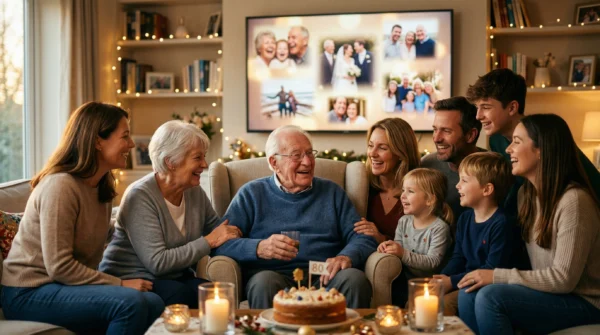
Families create AI Life Journey videos for milestone birthdays — 50th, 60th, 70th — as a way to honor a life well lived. They’re created for weddings, playing in the background during cocktail hour as guests watch the couple grow up in real time. They’re created for bar and bat mitzvahs, anniversaries, and retirement celebrations.
And increasingly, they’re created as memorial and tribute videos — a way to honor someone who has passed, to show family and friends not just who they were at the end, but who they were across a whole beautiful life.
Whatever the occasion, the result is the same: people cry, laugh, and say things like “I had no idea how much I needed to see this.”
Why Not Just Use an App?
There are apps that claim to do something similar. Some are fun for a quick social media post. But for anything that matters — a funeral, a wedding, a 70th birthday party — the difference between a polished, professionally edited video and an app-generated result is immediately obvious.
Apps apply the same generic animation to every photo. They can’t restore a faded image, match skin tones across decades, or make judgment calls about pacing and emotion. They don’t ask you about the person. They don’t care.
A professional AI video service does all of that. And when the video plays in front of a room full of people who loved that person — it shows.
Ready to Turn Your Photos Into Something Lasting?
If you have a box of photos and a person worth celebrating, this is for you. Whether it’s for an event next month or a tribute you’ve been meaning to create for years, the process is simple and the result is something you’ll keep forever.